![logotype_lanterna_education_blue (1).png]](https://support.lanterna.com/hs-fs/hubfs/logotype_lanterna_education_blue%20(1).png?height=40&name=logotype_lanterna_education_blue%20(1).png)
The 'New Student Availability' widget is available on the Dashboard of the Portal.
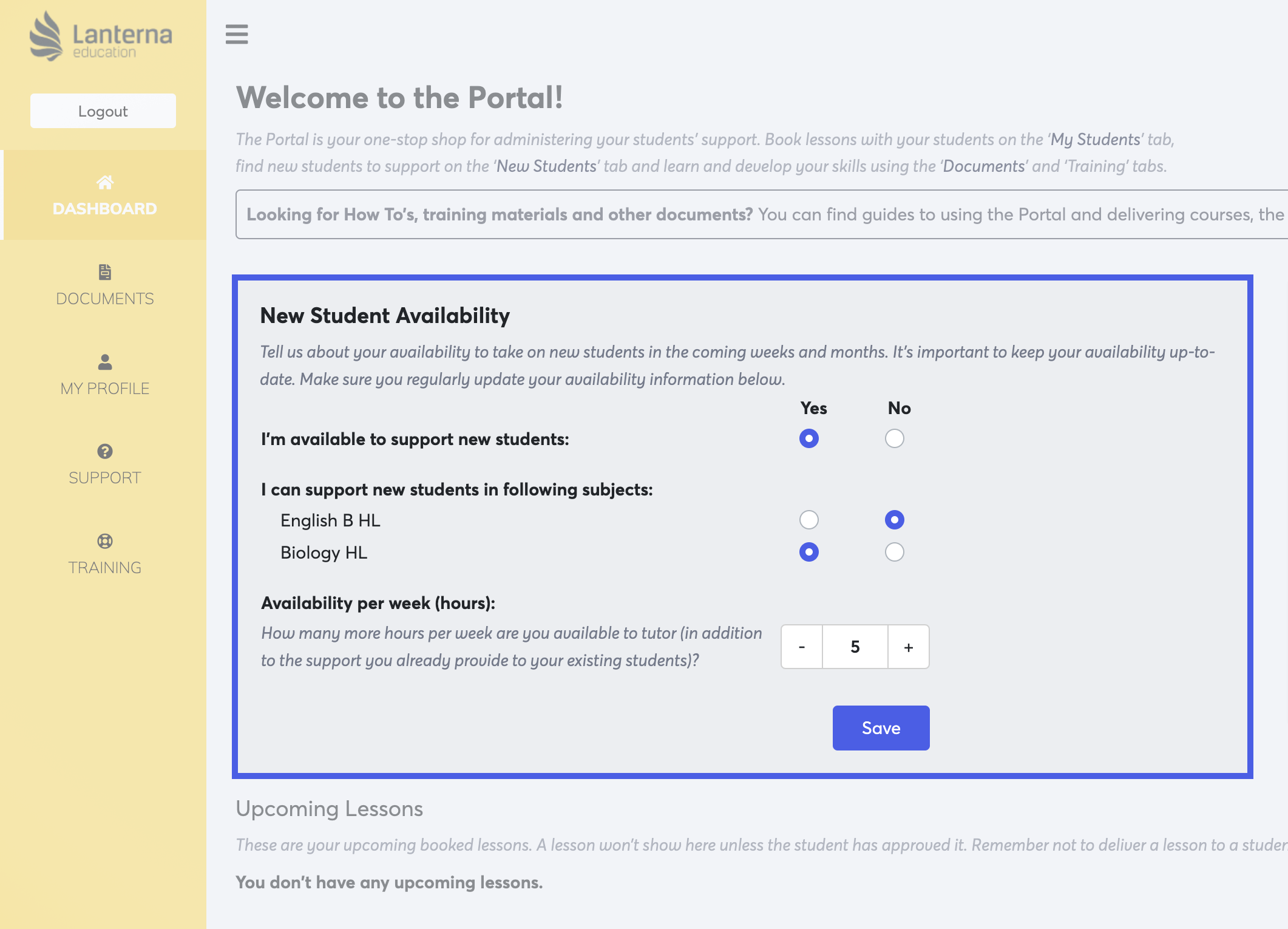
This section allows you to tell us how available you are take on new students. We refer to this information regularly when considering applications from tutors to take on new students, and so you should ensure you keep this information up-to-date.
You can turn off your availability for all new students in every subject that you're cleared to teach, or you can turn off your availability per subject, for example if you're supporting many Biology students and don't want to take any new student on in any other subject.
You can also turn off receiving distributions for certain subjects in your Portal profile.