![logotype_lanterna_education_blue (1).png]](https://support.lanterna.com/hs-fs/hubfs/logotype_lanterna_education_blue%20(1).png?height=40&name=logotype_lanterna_education_blue%20(1).png)
To book a lesson:
- Agree on a time for the lesson with the family/student through written communication.
- On the Portal, select "My Students" in the left-hand menu.
- Select the student you wish to book a lesson with from the "Active Students" section (you can only book lessons with active students).
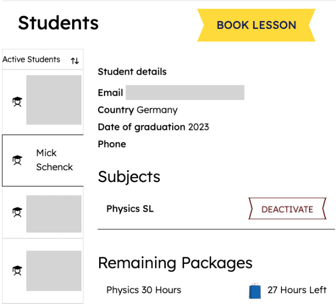
4. Select "Book Lesson" once you have chosen which student you wish to have a lesson with (you may be linked to a student for multiple subjects).
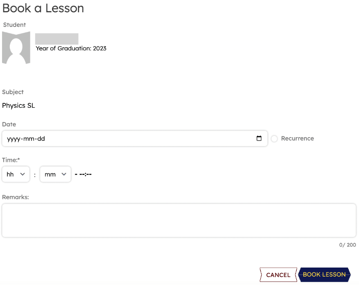
You can also watch this video for a more comprehensive example.
Important reminder:
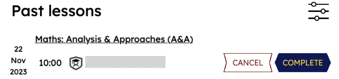
It is very important that you mark any completed lessons as "Complete" on the Portal as soon as possible after the lesson has taken place, and at the very latest on the last day of the month.